
Before
Spreadsheet pack stitched together from SAP exports, CRM reports, and finance tabs
After
One trusted weekly decision dashboard with KPI definitions visible
Dashboard reporting sprints for trusted numbers and weekly action
We build operator-led dashboard systems that turn scattered sales, finance, operations, and customer data into trusted numbers, owners, blockers, and next actions. The goal is a weekly operating rhythm your team can actually run.
Service command deck
Operator-Led Dashboard Systems Australia
Insights changing live
Starter range
$400-$1k
Sprint 1: Dashboard / Reporting
This sprint is built for teams stuck in spreadsheet packs, SAP exports, CRM reports, or disconnected dashboards. We define the metrics, clean up the reporting layer, and ship an operator-led dashboard system leaders can use in their weekly operating rhythm — not another pretty report.
Reporting Friction Audit
PPS reviews the report pack, KPI logic, source systems, manual handling, and action ownership so the first Dashboard Sprint is scoped around the friction costing weekly momentum.
Book a Reporting Friction AuditAgree the KPI logic, owners, and reporting rhythm before build starts.
Replace dense exports with readable executive and team-level views.
Create a practical cadence for surfacing risks, actions, and next decisions.
Proof + first action
Use the Transit Couriers proof route as the closest dashboard sprint example, then ask for the first messy report pack so the scope starts with live operational pain rather than abstract dashboard wish lists.
Proof route
Show how multiple operational systems can be turned into a practical reporting layer before the buyer commits to a larger data program.
Open dashboard proof →First sprint input
Ask for the current spreadsheet, SAP export, CRM report, or leadership KPI pack so the first dashboard sprint is scoped around a real decision cadence.
Start the reporting pack brief →Dashboard proof
The strongest dashboard example is the Transit Couriers case study: several disconnected operational tools were turned into one readable dashboard and weekly decision layer. It is the cleaner proof path for buyers who need fewer spreadsheet exports, clearer operational visibility, and a practical first reporting sprint.
The preview image is public-safe and sanitised, while still showing the kind of layout, KPI hierarchy, and action visibility a Dashboard / Reporting Sprint can create.
Read the Transit Couriers dashboard case study →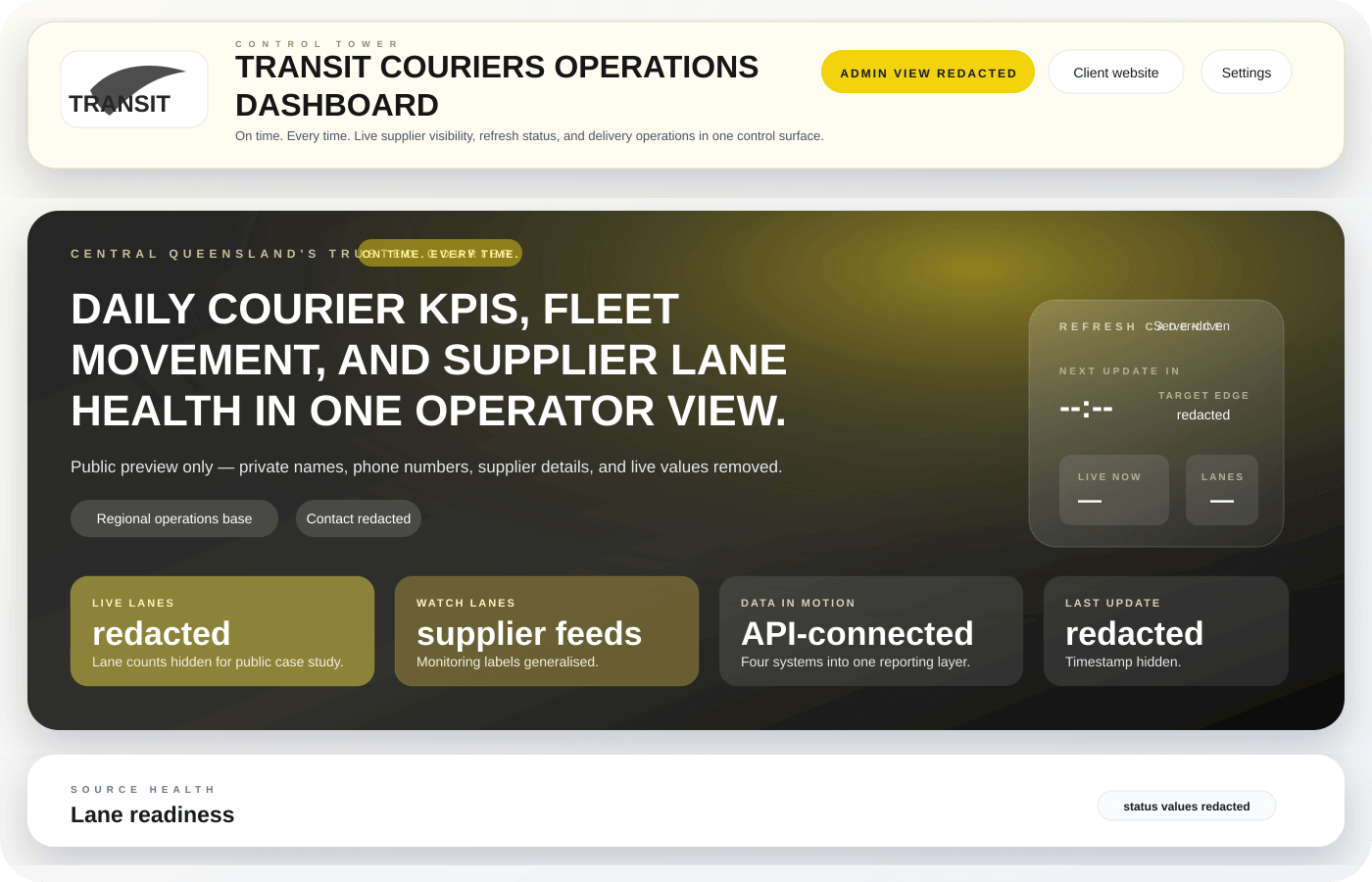
Dashboard Sprint demo
A useful dashboard connects KPI, owner, exception, next action, and weekly rhythm. This public-safe fake-data demo shows the style of operating view PPS builds before any real client data is used.
AI weekly summary draft pending approval
“Three exceptions need owner follow-up before Friday: training readiness evidence, maintenance backlog priority, and late-run delivery recovery. Draft only — manager approval required before this becomes a meeting pack.”
Weekly operator pack
Weekly actions closed
82%
+14%
Open exceptions
7
3 overdue
Training ready crew
91%
4 expiring
Report prep removed
6.5h
per week
Maintenance backlog
Due this weekOwner: Maintenance Lead
Confirm top 5 constraint jobs before Friday planning
Training readiness
At riskOwner: Training Coordinator
Refresh expiring VOC evidence and update the GM pack
Customer delivery
In progressOwner: Operations Manager
Review late-run exceptions and assign recovery owners
Reporting friction audit
The first sprint starts with your current spreadsheet, SAP export, CRM report, or leadership KPI pack — then removes the friction that stops the numbers becoming decisions.
Before
Spreadsheet pack stitched together from SAP exports, CRM reports, and finance tabs
After
One trusted weekly decision dashboard with KPI definitions visible
Before
Meeting time spent arguing whether the number is right
After
Assumptions, data source, and refresh cadence agreed before build
Before
Risks and blockers discussed, then lost in notes or email threads
After
Exceptions, owners, due dates, and next actions stay attached to the dashboard
Before
Leadership asks for another report because the current pack does not drive action
After
Weekly operating rhythm uses the same pack to review numbers, decisions, and follow-through
Where this fits
PPS keeps the offer narrow enough to buy: start with one painful reporting pack, prove the operating rhythm, then expand only when the dashboard is used.
Book a Reporting Friction Audit →Backlog, PM compliance, defect actions, shutdown readiness, training expiry, and GM summary packs.
Workload, delivery exceptions, late jobs, customer commitments, and owner-led recovery actions.
Referral pipeline, admin follow-ups, appointment flow, recall queues, and weekly management reporting.
Cashflow, sales pipeline, marketing source, margins, team actions, and the owner’s weekly priorities.
High-impact capabilities aligned to your goals.
Turn the current weekly report into a clearer management rhythm
Connect the practical sources needed for the first useful dashboard
Use public-safe examples to choose the right reporting shape before build
A practical rollout that starts with the messy pack, stabilises trusted numbers, and ships the operating rhythm before wider automation.
Review the weekly report pack, exports, KPI disputes, source systems, owners, and meeting rhythm before scoping build work.
Agree KPI definitions, reconciliation checks, refresh cadence, and source-cleanup priorities so the dashboard starts from numbers people trust.
Design the weekly view around the trusted number, exception, owner, blocker, next action, and decision deadline.
Handover the dashboard with a practical review cadence, action ownership, approval-gated AI summary drafts, and next-sprint priorities.
See the Evolution Happens survey results automation example →Measurable outcomes, clearly defined.
Leadership sees the numbers, exceptions, and actions without chasing spreadsheet owners.
The first sprint cuts report assembly friction and creates a repeatable decision cadence.
KPI logic, assumptions, and source checks are visible before the dashboard becomes business-critical.
Dashboards highlight risk, blockers, backlog, margin pressure, and owner actions instead of decorative charts.
Readable cards, filters, and drill paths help managers use the report without Power BI expertise.
Once the first pack proves useful, deeper refresh automation and integrations can be scoped with confidence.
Scope, outcomes, and pricing
Clear outcomes, practical scope, and pricing you can plan around.
Dashboard / Reporting
Turn spreadsheet exports, CRM reports, and operational data into one readable decision layer.
Weekly decision pack
Leadership gets the current KPI view, exceptions, and next actions without manual report assembly.
Trusted KPI logic
Shared definitions and reconciliation checks keep marketing, finance, and operations aligned.
Reporting efficiency
Automated refreshes replace manual report assembly and spreadsheet churn.
Indicative ranges help planning. Final pricing is based on complexity, integrations, and delivery pace.
Insight Starter
$400-$1k
2-3 weeks
Single-domain dashboard for one department with essential KPI tracking.
Scope this sprintBusiness Core
$1k-$5k
3-6 weeks
Multi-source dashboards with executive + team-level reporting views.
Scope this sprintEnterprise Analytics
Custom
6+ weeks
Advanced modelling, forecasting layers, and broader integration footprint.
Scope this sprintData confidence
QA-backed KPI definitions
Logic reviews and reconciliation checks completed before handover.
Adoption support
Training for non-technical teams
Practical onboarding designed for day-to-day business users.
Ongoing value
Iteration roadmap available
Optional expansion path for new metrics and business units.
Closest proof routes
Local dashboard entry points
Related proof and fit
FAQ support
Clear answers on timeline, investment, and delivery scope.
Power BI gives leadership a live view of sales, operations, and margins in one place. Most teams cut manual reporting time and make decisions faster because KPI trends are visible without spreadsheet consolidation.
Yes. We design dashboards for non-technical teams with clear filters, drill-down views, and role-based layouts. We also provide onboarding so managers and staff can use the system confidently from day one.
We regularly connect accounting, CRM, e-commerce, ad platforms, and spreadsheets, including QuickBooks, Xero, HubSpot, Salesforce, Shopify, WooCommerce, and GA4. If your tool exposes usable data, we can usually connect it.
Most projects land between $400-$5k depending on integration depth and reporting complexity. Many teams start with an Insight Starter sprint and expand to Business Core once KPI definitions are proven.
Send the current spreadsheet, SAP export, CRM report, or leadership pack and we will map the smallest useful Dashboard / Reporting Sprint around it.
No generic dashboard pitch. We start with the report pack, decision rhythm, owners, and actions before recommending build scope.
Mackay is serviced locally, with the rest of Australia supported as remote online delivery. Each city page covers local search intent for that market.